As someone who’s spent years curating a home that feels both cozy and contemporary—think warm Scandinavian-inspired living rooms, a sunlit Mediterranean-style kitchen, and a minimalist bedroom that doubles as a calm retreat—I’ve always believed that technology should enhance your space, not detract from it. Like many of you, I used to associate smart home devices with clunky remotes, unsightly wires, and that “futuristic but cold” vibe that felt out of place in a home designed for comfort. But over the past two years, I’ve completely transformed my space by integrating smart lighting, automated curtains, and a seamless smart speaker system—all while keeping my decor cohesive, stylish, and true to my personal taste. The best part? It’s easier than you think, and the payoff—both in convenience and home value—is massive.
If you’re tired of choosing between a beautiful home and modern convenience, this guide is for you. I’m breaking down exactly how I incorporated these three key smart home elements into my decor without sacrificing style, plus my favorite products, pro tips, and mistakes to avoid—all from a fellow home decor lover who prioritizes “function meets flair.” No tech jargon, no complicated setups, just real-world advice that works for any home style, from a tiny apartment in New York City to a sprawling suburban home in London or Los Angeles.
First: The Golden Rule of Smart Home Decor
Before we dive into the specifics of smart lighting, automated curtains, and smart speakers, let’s start with the most important rule I learned: Smart devices should blend in, not stand out. The goal isn’t to show off your tech—it’s to make your life easier while keeping your home feeling like “you.” That means ditching the neon-lit remotes, hiding unsightly wires, and choosing devices that complement your existing decor, whether that’s mid-century modern, bohemian, industrial, or classic traditional. Trust me, there’s no need to overhaul your entire home to go smart—small, intentional additions will make the biggest difference.
Another key point: Integration is everything. The best smart home setups work together seamlessly—your lights dim when your curtains close, your speakers play soft music when you walk into the room, and everything can be controlled with a single voice command or tap on your phone. You don’t need to buy every smart device on the market; start with the three elements I’m focusing on here, and build from there. Let’s start with the foundation of any well-decorated, smart home: lighting.
Smart Lighting: The Unsung Hero of Cozy, Stylish Spaces
Lighting is the backbone of any home’s decor—it sets the mood, highlights your favorite pieces, and can even make a small room feel larger. When I first started with smart lighting, I made the mistake of buying cheap, generic smart bulbs that clashed with my fixtures and gave off a harsh, artificial glow. But once I learned to choose the right bulbs, fixtures, and controls, smart lighting became my favorite part of my home. It’s not just about turning lights on and off with your phone (though that’s a game-changer for lazy evenings on the couch); it’s about creating ambiance that adapts to your day, your mood, and your decor.
Choosing Smart Lighting That Complements Your Decor (Not Clashes With It)
The biggest mistake people make with smart lighting is prioritizing function over style. Yes, you want bulbs that connect to Alexa or Google Assistant, but you also want them to look good in your existing fixtures. Here’s what I did (and what I recommend):
- Stick to warm, natural tones (most of the time): I’m obsessed with warm white light (between 2700K and 3000K) for living rooms, bedrooms, and dining areas—it feels cozy and inviting, just like traditional incandescent bulbs but with the added benefit of smart control. For my home office, I switch to a cooler white (4000K) during the day to boost focus, then dim it to warm white in the evening to wind down. Brands like Philips Hue offer bulbs in a range of color temperatures, and their decorative string lights—like the Festavia collection—add a soft, inviting glow without looking “techy”. I draped their Omniglow micro-LED strips behind my bookshelves for a subtle, customizable glow that adds depth to my living room without drawing attention to the tech itself.
- Opt for “invisible” fixtures: One of the biggest trends in European home decor right now is hidden lighting—fixtures that are recessed, trimless, or fully concealed so you only see the light, not the hardware. In my living room, I installed recessed trimless downlights that blend seamlessly into the ceiling, and in my dining nook, I added cove lighting along the top of the walls for soft, indirect mood lighting. These fixtures are smart-enabled, so I can control them with my voice, but they look like part of the architecture, not an afterthought.
- Match bulbs to your fixture style: If you have a vintage chandelier, don’t put a sleek, modern smart bulb in it—look for smart bulbs with a classic shape (like Edison bulbs) that fit the aesthetic. I have a mid-century modern table lamp in my bedroom, and I paired it with a Philips Hue smart bulb that has a warm, amber glow and a vintage filament design. It looks like a regular bulb, but I can dim it, set schedules, and even change its color (though I stick to warm tones for consistency).
Smart Lighting Hacks for Every Room
Once you have the right bulbs and fixtures, it’s time to use them to enhance your decor and daily routine. Here are my go-to hacks that work for any home:
- Living Room: I have three layers of smart lighting here: recessed ceiling lights, table lamps with smart bulbs, and the micro-LED strips behind my bookshelves. I created a “Evening Cozy” scene that dims the ceiling lights to 30%, turns on the table lamps to 50%, and activates the LED strips to a soft warm glow. It’s perfect for movie nights or lazy Sundays, and it makes the room feel instantly inviting. I also use motion sensors so the lights turn on automatically when I walk in—no more fumbling for switches in the dark.
- Bedroom: I hate harsh morning light, so I set my smart bulbs to gradually brighten 30 minutes before my alarm goes off—mimicking the sunrise and making it easier to wake up. At night, I have a “Bedtime” scene that dims the lights to 10% and turns off all other lights in the house. I also installed smart under-bed lights (hidden under my bed frame) that turn on when I get up in the middle of the night—no more blinding myself with the overhead light.
- Kitchen: Task lighting is key here, so I installed smart under-cabinet lights that turn on when I open the cabinet doors (thanks to motion sensors) and turn off when I close them. I also have smart recessed lights above the counter that I can brighten when I’m cooking or dim when I’m having a late-night snack. Pro tip: Choose energy-efficient LED smart bulbs—they last longer and save you money on your electricity bill, which is a win-win.
- Outdoor Spaces: Don’t forget your patio or deck! I installed Philips Hue permanent outdoor string lights that are weatherproof and designed for year-round use. They add a warm, festive vibe to outdoor gatherings, and I can control them with my phone or voice—no more climbing a ladder to turn them on or off. I also set them to turn on at sunset and off at sunrise, so my patio is always lit when I get home.
My Favorite Smart Lighting Products (That Look Great, Too)
After testing dozens of smart lighting products, these are my top picks that balance style and function:
- Philips Hue White Ambiance Smart Bulbs: These are my go-to for every room—they offer warm to cool white light, are dimmable, and work with Alexa, Google Assistant, and Apple HomeKit. They fit standard fixtures and come in vintage filament styles for a classic look.
- Philips Hue Festavia Globe String Lights: Perfect for outdoor patios or indoor living spaces—they’re weatherproof, dimmable, and offer soft, warm light that feels cozy and inviting.
- Lutron Smart Dimmers: If you don’t want to replace your existing bulbs, Lutron smart dimmers are a game-changer. They install easily, work with any bulb, and let you dim your lights with your phone or voice. Plus, they have a sleek, minimalist design that looks great on any wall.
- Nanoleaf Shapes: For a fun, modern touch, I added Nanoleaf hexagons to my home office. They’re customizable, can display millions of colors, and look like a piece of wall art—perfect for adding a pop of color without cluttering your space. I use them to set a creative mood when I’m working, and they double as decor.
Automated Curtains: Effortless Style and Function (No More Pulling Cords)
When I first considered automated curtains, I thought they were a luxury I didn’t need. But after installing them, I wonder how I ever lived without them. Not only do they save you from pulling cords (especially helpful if you have high windows or mobility issues), but they also enhance your decor, improve energy efficiency, and add a touch of luxury to any room. The key is to choose curtains that look beautiful on their own, with the smart functionality hidden in the background.
One of the biggest trends in 2026 luxury living is the shift from automated curtains being a “luxury” to an “essential”. Designers are now incorporating them into most projects because they protect furniture and finishes from sun damage, boost privacy, and enhance the overall aesthetics of a room. And the best part? They no longer look like “techy” add-ons—they blend seamlessly with traditional curtains and blinds.
Choosing Automated Curtains That Fit Your Decor
The most important thing when choosing automated curtains is to prioritize the fabric and style first—then the smart features. Here’s what I did:
- Stick to your existing color palette: My home has a neutral color scheme (beige, gray, white, and soft browns), so I chose automated curtains in a light beige linen fabric that matches my sofa and throw pillows. They look like regular curtains—you’d never know they’re smart unless I tell you. If your decor is bold or colorful, opt for curtains in a complementary color or a neutral shade that won’t clash. Brands like Graywind offer a range of fabric options, from linen to velvet, so you can find something that fits your style.
- Choose the right length and style: For my living room, I went with floor-length curtains that puddle slightly on the floor—this adds a touch of elegance and makes the room feel taller. For my bedroom, I chose blackout automated curtains in a heavier fabric to block out light and improve sleep. I also opted for a tab-top design that creates deep, rich folds for a professional look, similar to the Madison Park Emilia curtains I saw on Wayfair. Pro tip: If you have bay windows, look for custom-fit automated curtains—Graywind offers made-to-order options that fit perfectly and look seamless.
- Hide the motor and tracks: The key to making automated curtains look “normal” is to hide the motor and tracks. Most smart curtain systems have slim, sleek tracks that can be painted to match your wall color, so they blend in. I had my tracks painted white to match my ceiling, and you can barely see them. The motor is hidden in the track, so there’s no unsightly box or cord hanging down.
How to Use Automated Curtains to Enhance Your Routine (and Decor)
Automated curtains aren’t just about convenience—they can also enhance your decor and daily routine. Here’s how I use mine:
- Sync with natural light: I set my curtains to open at sunrise and close at sunset. This lets natural light flood my home during the day, which makes my space feel brighter and more inviting, and protects my furniture from sun damage. In the summer, I set them to close during the hottest part of the day to keep my home cool (saving on energy bills), and in the winter, I leave them open to let in warm sunlight.
- Sync with your smart lighting: This is my favorite feature! When my curtains close in the evening, my smart lights automatically dim to 50%, creating a cozy, cohesive ambiance. When I wake up in the morning, my curtains open slowly, and my lights brighten gradually—no more harsh transitions.
- Privacy on demand: If I’m working from home or having a private conversation, I can close my curtains with a voice command (“Alexa, close the living room curtains”) without getting up. This is especially helpful for ground-floor rooms or homes with neighbors nearby.
- Security when you’re away: When I’m on vacation, I set my curtains to open and close at random times to make it look like someone is home. This deters burglars and gives me peace of mind, and it’s all done automatically—no need to ask a neighbor to check on your home.
My Favorite Automated Curtain Products
These are the automated curtain systems I’ve tested and loved—they’re stylish, reliable, and easy to install:
- Graywind Hardwired Smart Curtains: These are my top pick—they’re custom-fit, made from high-quality cotton-linen blend fabric, and offer total blackout for bedrooms. They integrate seamlessly with Alexa and Google Assistant, and the motor is quiet and smooth. Plus, they have a remote control for times when you don’t want to use your voice or phone.
- Lutron Serena Smart Shades: If you prefer blinds over curtains, Lutron Serena shades are a great option. They come in a range of fabrics and colors, are ultra-quiet, and work with all major smart home systems. They’re perfect for a minimalist or modern home, and they look sleek and sophisticated.
- Somfy Smart Curtain Motor: If you already have curtains you love, you can add a Somfy smart motor to your existing track. It’s easy to install, quiet, and works with Alexa, Google Assistant, and Apple HomeKit. This is a great budget-friendly option if you don’t want to replace your curtains.
Smart Speaker Systems: Sound That Blends with Your Decor (No More Clunky Speakers)
Smart speakers are the heart of any smart home—they let you control your lights, curtains, and other devices with your voice, play music, set reminders, and even answer questions. But let’s be honest: Most smart speakers are ugly. They’re big, boxy, and stick out like a sore thumb in a well-decorated room. That’s why I spent months testing smart speakers that look as good as they sound, and I found a few gems that blend seamlessly with my decor.
The key to integrating smart speakers into your decor is to treat them like any other decor piece—place them strategically, choose styles that complement your space, and hide them when possible. According to a recent survey, the most popular spots for smart speakers are the bedroom (45.5%), living room (43.2%), and kitchen (41.5%)—so I focused on placing speakers in these areas in a way that doesn’t clutter my space.
Choosing Smart Speakers That Look Great (and Sound Even Better)
When shopping for smart speakers, look for these features to ensure they blend with your decor:
- Sleek, minimalist design: Avoid speakers with bright lights, bold logos, or weird shapes. Opt for speakers in neutral colors (white, black, gray, or wood) that match your furniture. My favorite is the Apple HomePod (2nd generation)—it’s sleek, white, and has a clean design that looks like a modern vase. It sits on my bookshelf, and most people don’t even realize it’s a speaker until I use it. The Sonos Era 300 is another great option—it’s compact, has a minimalist design, and supports Alexa, plus it delivers high-quality sound.
- Fabric or wood finishes: Speakers with fabric covers or wood finishes blend in better with cozy, homey decor. The Google Nest Audio has a fabric cover that comes in soft colors (like sage and chalk), and it looks great on a side table or bookshelf. I have one in my bedroom, and it matches my linen bedding perfectly. Fabric-wrapped models are especially good for hiding the tech and adding a soft texture to your space.
- Multi-room audio: If you want sound throughout your home, opt for a multi-room smart speaker system (like Sonos or Apple HomePod). This way, you can have small, sleek speakers in each room that work together to play music, and they won’t take up much space. I have a Sonos One in my kitchen, a HomePod in my living room, and a small Echo Dot in my bedroom—all of which are compact and blend with their respective spaces.
Placing Smart Speakers Strategically (Without Cluttering Your Space)
Where you place your smart speakers is just as important as the style. Here are my top tips for placing them in a way that’s functional and stylish:
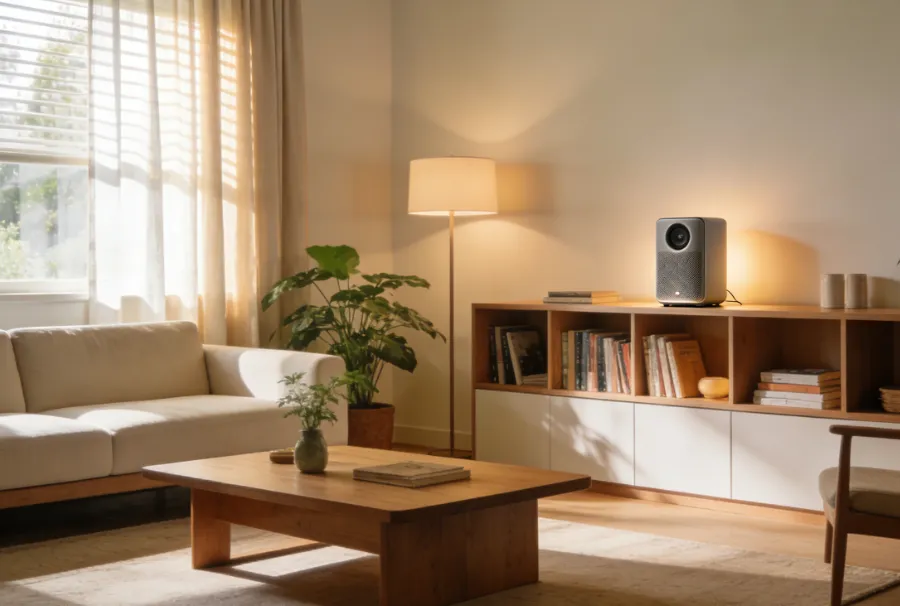
- Living Room: I have my Apple HomePod on my bookshelf, tucked between books and decor pieces—this hides it slightly and makes it look like part of the display. If you have a coffee table, place a small speaker (like the Echo Dot) on it, but make sure it’s not in the way of drinks or decor. For better sound, follow Sonos’s placement guidelines: leave at least 1 inch of space behind smaller speakers and 2 inches behind larger ones, and avoid placing them on metal, concrete, or brick surfaces, which can affect the sound quality.
- Bedroom: I have a small Echo Dot on my nightstand, next to my lamp. It’s compact, so it doesn’t take up much space, and it’s within easy reach if I want to use it at night. I chose a white Echo Dot to match my nightstand and bedding, so it blends in. Pro tip: Use a speaker with a clock (like the Echo Dot with Clock) to replace your alarm clock—this saves space and adds functionality.
- Kitchen: The kitchen is a great place for a smart speaker—you can use it to set timers, play music while cooking, or ask for recipes. I have a Sonos One mounted under my kitchen cabinets (using a small shelf) to save counter space. It’s out of the way, but still within earshot for voice commands. Just make sure it’s not near water or heat sources, and choose a humidity-resistant model if you plan to use it near the sink or stove.
- Hide them in decor: If you have a decorative basket, a bookshelf, or a cabinet, you can hide your smart speaker inside (as long as it’s not completely enclosed—sound needs to escape). I have a small Echo Dot in a woven basket on my living room side table—it looks like a decor piece, but it’s still functional. You can also place speakers among plants to help them blend in with your greenery.
My Favorite Smart Speaker Systems
These are the smart speakers I use in my home—they’re stylish, sound great, and integrate seamlessly with my other smart devices:
- Apple HomePod (2nd Generation): Perfect for Apple users—it works with Siri, integrates with Apple HomeKit, and has a sleek, minimalist design. It sounds amazing, and it’s small enough to fit on a bookshelf or side table.
- Sonos Era 300: Great for multi-room audio—it supports Alexa and Google Assistant, has a compact design, and delivers immersive sound. It’s perfect for living rooms or bedrooms, and it comes in neutral colors that blend with any decor.
- Google Nest Audio: Affordable, stylish, and easy to use—it has a fabric cover, comes in soft colors, and works with Google Assistant. It’s perfect for beginners, and it sounds great for its size.
- Echo Dot (5th Generation) with Clock: Compact, affordable, and functional—it has a small clock, works with Alexa, and fits perfectly on a nightstand or countertop. The clock is helpful for checking the time without grabbing your phone, and it’s available in neutral colors.
Putting It All Together: Creating a Seamless Smart Home That’s Also Stylish
Now that you know how to integrate smart lighting, automated curtains, and smart speakers into your decor, it’s time to put it all together. The key is to create a system that works together seamlessly—so your devices communicate with each other, and you can control everything with a single voice command or tap on your phone. Here’s how I set up my system:
- Choose a smart home hub (or use your phone): I use Apple HomeKit because I have an iPhone, but Alexa and Google Home are also great options. A hub lets you control all your smart devices in one place, so you don’t have to switch between apps. For example, I can say “Alexa, good night,” and my curtains close, my lights turn off, and my speakers play soft white noise.
- Create “scenes” for different moments: Scenes are pre-set commands that control multiple devices at once. I have scenes for “Morning,” “Evening Cozy,” “Bedtime,” and “Vacation.” For example, my “Morning” scene opens my curtains, brightens my lights to 80%, and plays my favorite morning playlist on my speakers. This saves time and ensures your home is always set to the perfect ambiance.
- Keep wires hidden: Unsightly wires are the biggest culprit of “tech clutter.” Use cord covers, cable organizers, or hide wires behind furniture to keep your space looking clean. I used cord covers to hide the wires from my smart speakers and lighting fixtures, and I ran the wires for my automated curtains behind the wall—now you can’t see a single wire.
- Start small and build: You don’t need to install all three elements at once. Start with smart lighting (it’s the easiest and most affordable), then add automated curtains, then a smart speaker system. This way, you can get used to each device and make sure it fits your decor and routine before adding more.
Final Thoughts: Smart Home Decor Should Be Fun, Not Stressful
At the end of the day, your home should be a place that feels like you—cozy, stylish, and functional. Smart devices are meant to make your life easier, not add stress or clutter. By following the tips in this guide, you can integrate smart lighting, automated curtains, and smart speakers into your decor without sacrificing style. Remember: The best smart home setups are the ones you barely notice—they work in the background, enhancing your space and your daily routine without drawing attention to themselves.
I’ve loved every minute of transforming my home with these smart devices, and I hope this guide inspires you to do the same. Whether you’re a tech novice or a seasoned pro, there’s a smart home setup that fits your decor and your lifestyle. And if you’re worried about cost, remember: Many smart devices are affordable, and they can increase your home’s value—making them a worthwhile investment.
Now, go grab your favorite smart bulb, pick out some stylish automated curtains, and start creating a home that’s both beautiful and smart. You won’t regret it!
P.S. If you have any questions about specific products or setups, leave a comment below—I’d love to help you create your perfect smart home decor!